

 إضافة MineBuilders1.8+
PacketScreen | In-Game Image & Gifs
 من lHawk_
الشراء والتنزيل والحفظ
مجاني
نزّل الإضافة مجانًا لتستخدمها في خوادمك.
سجّل الدخول للتنزيلاستخدمها في خوادمك. لا يُسمح بإعادة بيع الملف أو إعادة توزيعه أو نشره على أنه لك (الشروط).
احفظ في المفضّلةمشاهدتان
عن هذه الإضافة
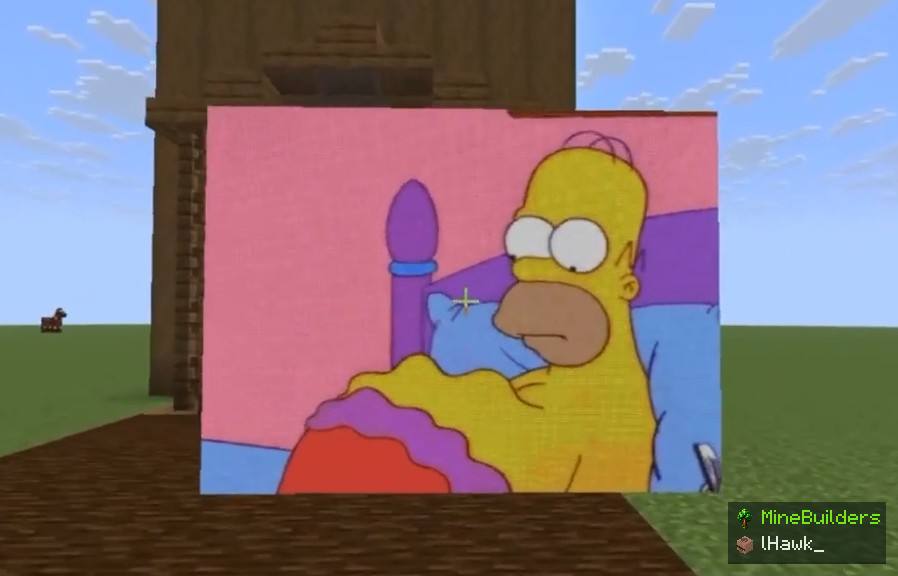
Display images, GIFs, and videos on in-game screens. Compatible with Spigot, Paper, and Folia (1.8–26.3).
التوثيق
PacketScreen
Virtual image and video screens for Minecraft Java Edition servers, rendered entirely through packets without creating real entities or blocks in the world.
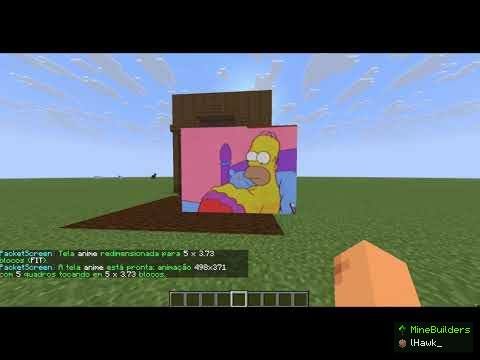
فيديو من YouTube: لا يُحمَّل إلا عندما تنقر لمشاهدته.
- Image support: PNG, JPEG, GIF, BMP and WebP from URLs.
- Video support: MP4, MOV, WebM, MKV, AVI, FLV, OGG and other supported formats through direct file URLs.
- Animated images: GIF and WebP animations with looping and frame timing, without FFmpeg.
- Real-time video controls: Play, pause, resume, stop, restart, loop and FPS adjustment.
- Custom screen sizes: Any size in blocks, including fractional dimensions such as 4 x 2.25.
- Display modes: FIT, FILL and STRETCH, with preserved or free aspect ratio.
- Processing resolution: Independently adjustable image and video resolution.
- Hologram screens: Screens automatically face each player independently.
- Solid screen backs: Fixed wall screens can have configurable solid backgrounds.
- Automatic rendering: Images are converted into Minecraft map colours with dithering.
- Optimized video transmission: Only changed pixels are sent to players, with configurable bandwidth limits.
- Viewing distance: Configure how far away players can see each screen.
- Screen management: Create, move, resize, rotate, scale, refresh and remove screens.
- Web panel: Optional browser interface for uploading images and videos and managing screens.
- Temporary access links: Single-use links and session-based access to the web panel.
- Multilingual messages: English and Brazilian Portuguese through messages.yml.
- Configurable settings: Screen limits, video limits, cache, rendering, network bandwidth and security.
- Compatibility: Spigot, Paper and Folia, Minecraft 1.8.8 to 26.3.
- Lightweight rendering: Virtual screens use packets without adding physical entities to the world.
Requirements
- Minecraft Java Edition 1.8.8–26.3.
- Spigot, Paper or Folia.
- PacketEvents 2.14.0 or newer.
- Java 8 or newer, depending on the server version.
- FFmpeg for video screens.
- Java 17 or newer for the optional web panel.
Installation
- Install PacketEvents.
- Place PacketScreen.jar in the plugins folder.
- Install FFmpeg if you want to use video screens.
- Configure the plugin through config.yml and messages.yml.
Permissions
Separate permissions are available for creating image screens, videos, resizing, moving, removing, listing screens, managing the web panel and reloading the configuration. The packetscreen.admin permission grants access to all commands.
سجل الإصدارات
- 1.0.0منشورنُشر في 10 أكتوبر 2026
Spigot، Paper وFolia · Minecraft 1.8 أو أحدث
لا ملاحظات في هذا الإصدار.
التقييمات
لا توجد تقييمات بعد.
قيّم
من يملك الإضافة — نزّل المجانية أو اشترى المعروضة للبيع — يمنح تقييمًا من نجمة إلى 5 نجوم ويحكي تجربته. سجّل الدخول لتقيّم.
إضافات مشابهة
 إضافة MineBuilders1.8–26.3
TreeCollapse | Tree Felling [1.8-26.3]
Chop down entire trees with a single swing! TreeCollapse brings smooth, realistic tree-felling anima
المنصات: SpigotPaper
من lHawk_مجاني
٧ تنزيلات٢٤ مشاهدةً
 إضافة MineBuilders1.8+
AntiXray | Folia, Spigot, Paper 1.8-26.3
Advanced packet-level Anti-Xray: hides ores, structures and entities behind walls. Folia ready.
المنصات: SpigotPaperFolia
من lHawk_مجاني
٥ تنزيلات١٠ مشاهدات